
Keep browsing. Keep listening.
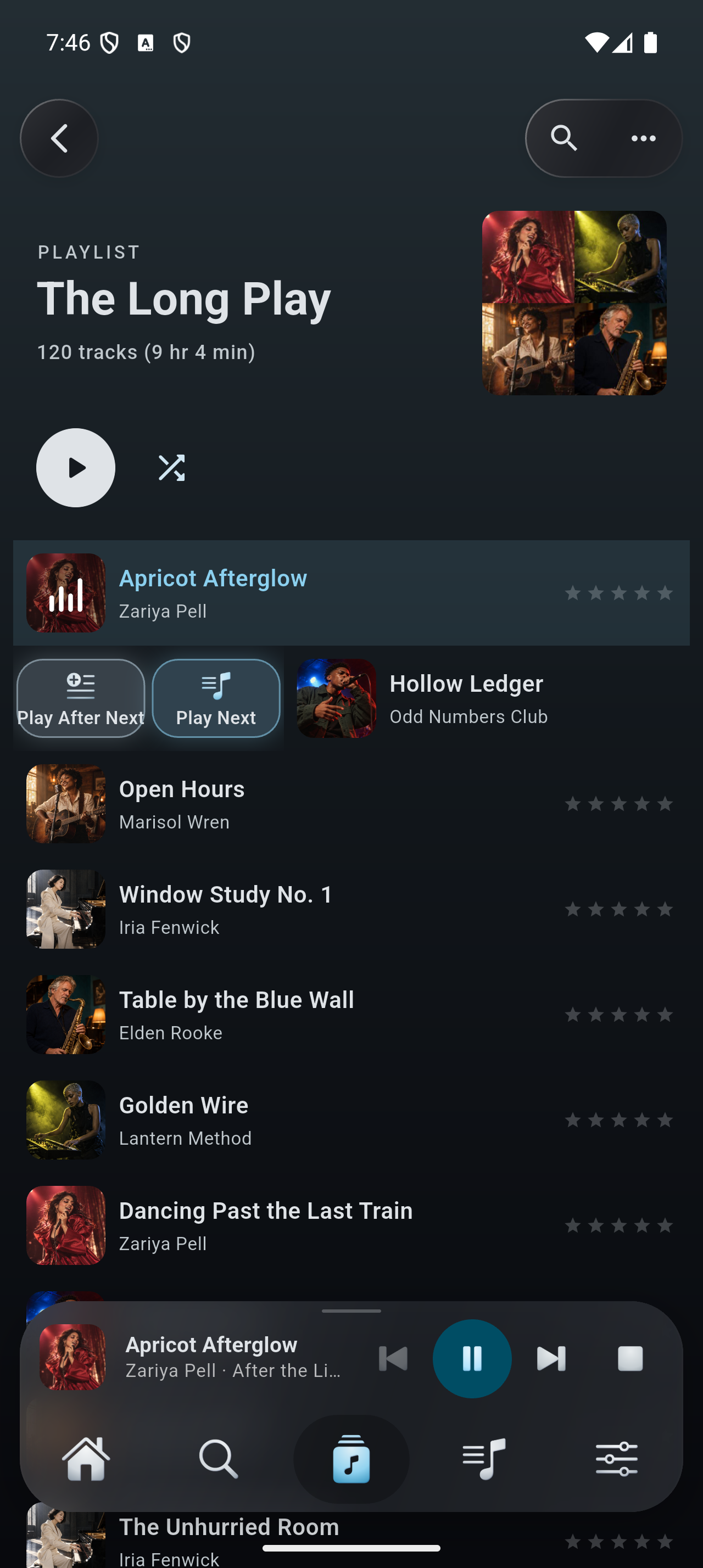
Play and Shuffle start in the mini player, so you can keep exploring your library. Tap to open Now Playing, then return to browsing without stopping the music.
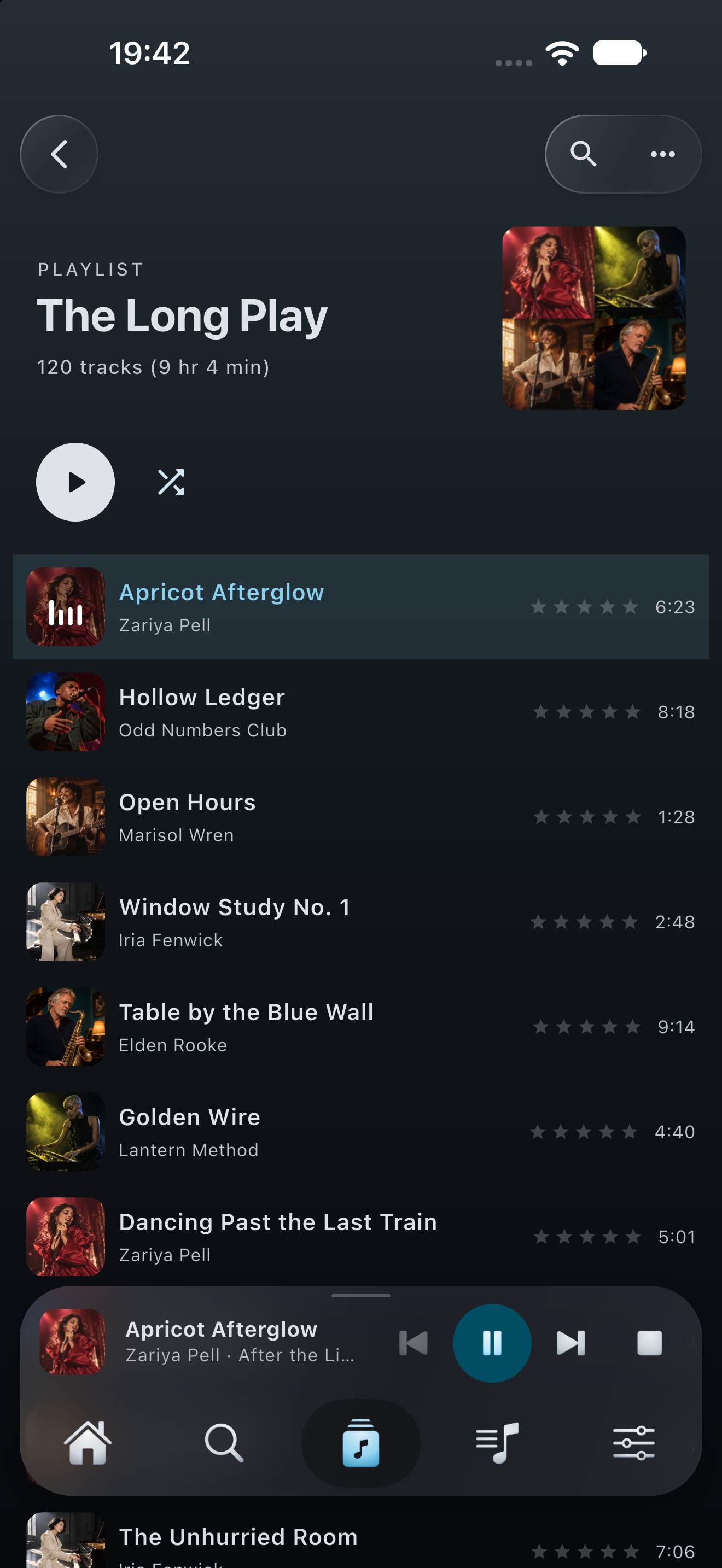
Your music stays close.
Flex - Music Player
A first look at Flex Music 2.0: a new player, smarter queues, casting and more ways to enjoy your own Plex library.
Coming in 2.0. The store links below currently offer version 1.0.
The why
Flex - Music Player started as a real problem. On long walks I build playlists that ramp up — steady openers first, then bigger and bigger tracks that pump me up and push me to go harder.
Keeping a long playlist in exactly that order meant fighting every music app I tried. Moving one song was a chore; shaping a few hundred was hopeless. I wanted real control over my own playlists, and nothing out there gave it to me.
So I built it, and now you can use it too.
— Jas, maker of Flex - Music Player
Features
Explore the next release, currently in preparation. These preview captures use our fictional demonstration library, with generated artwork, artists and titles. Version 2.0 is not yet publicly available.
Play and Shuffle start in the mini player, so you can keep exploring your library. Tap to open Now Playing, then return to browsing without stopping the music.
Your music stays close.
Use Play Next for the next song, or Play After Next to place it after the tracks you have already queued. Assign either action to a swipe.
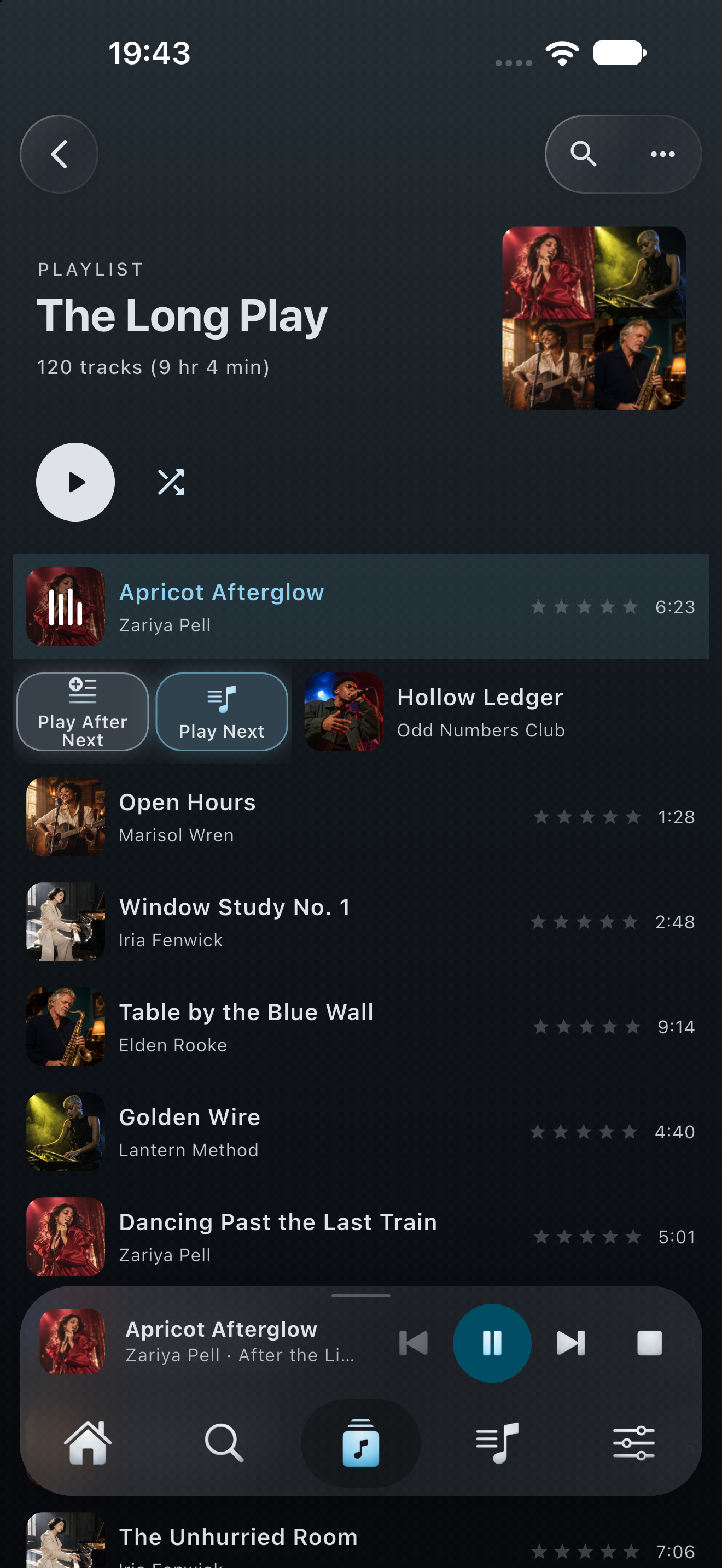
Next up is your choice.
See what is coming, move tracks into order and return to the current song. Your playlist editing tools still save changes back to Plex.
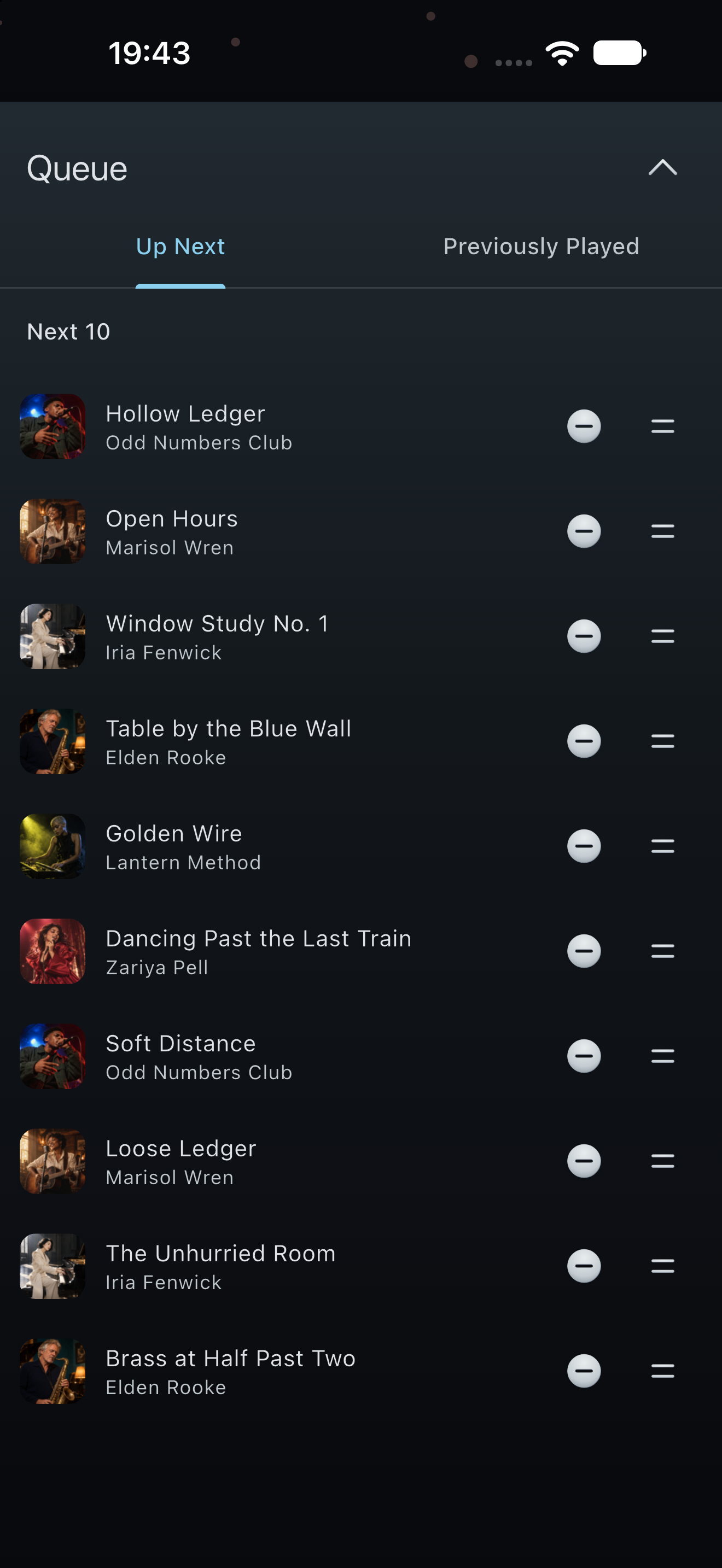
Make room for the next favourite.
Smart Search filters your Plex library with editable starters such as Recently played, Unplayed gems and Rediscover. Pro saves smart playlists and listening sessions for another day.
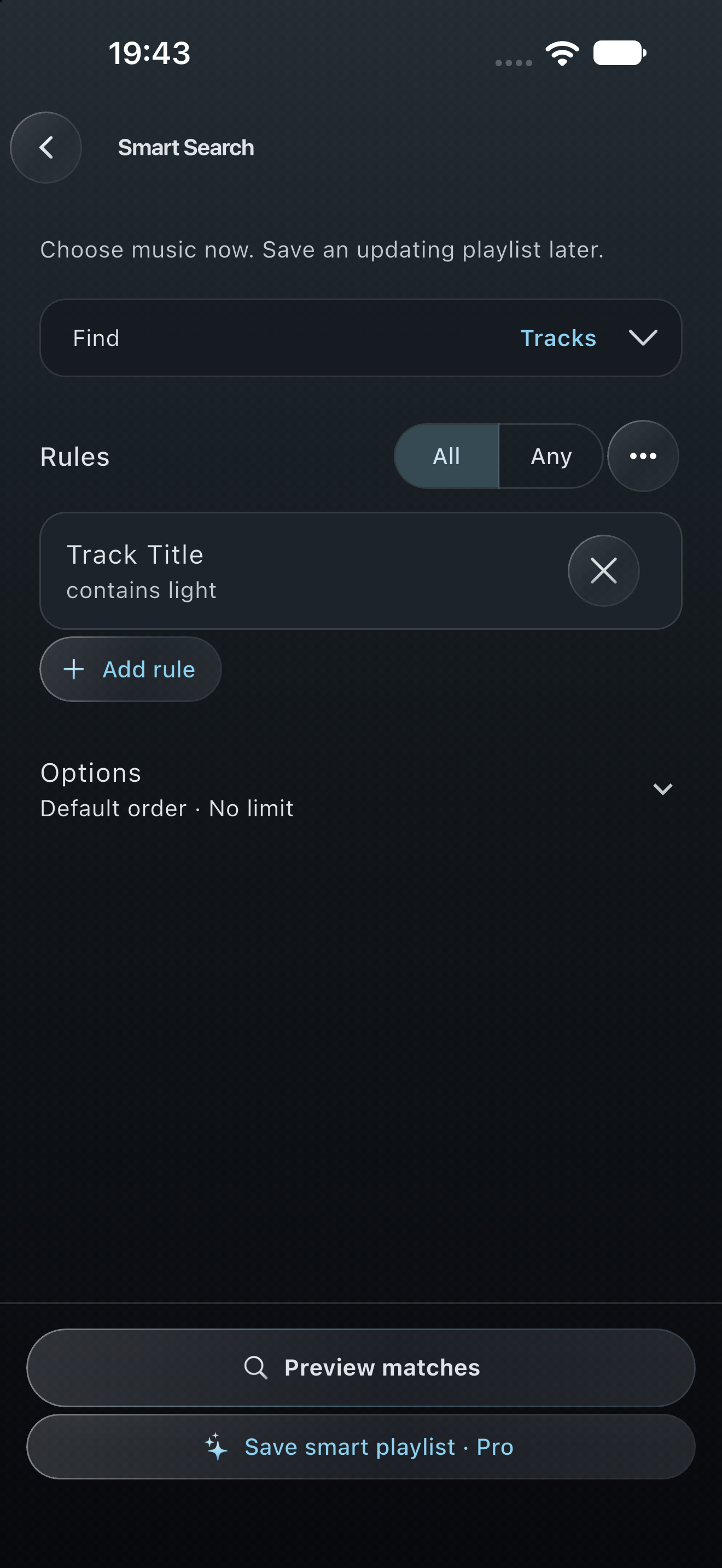
Smart Search is free. Saving smart playlists is Pro.
Data saver asks your Plex server to convert audio before streaming, with separate Wi-Fi and cellular limits. Converted audio can be saved for replay and offline listening. Server support is required.
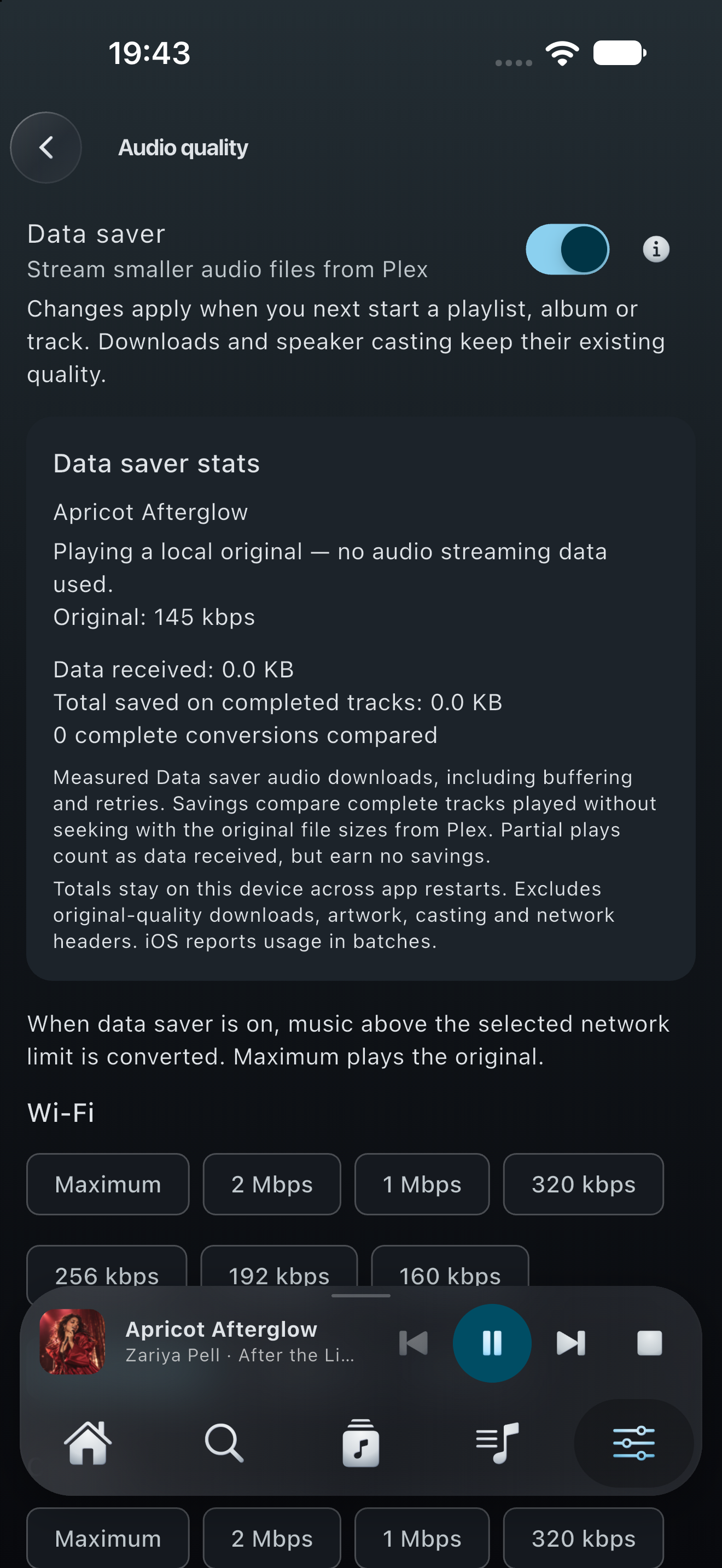
Stats measure converted audio, not all network traffic.
In 2.0, downloads of any size and Keep favourites offline are free, subject to available storage. Choose what to save and listen when you are away from your server.
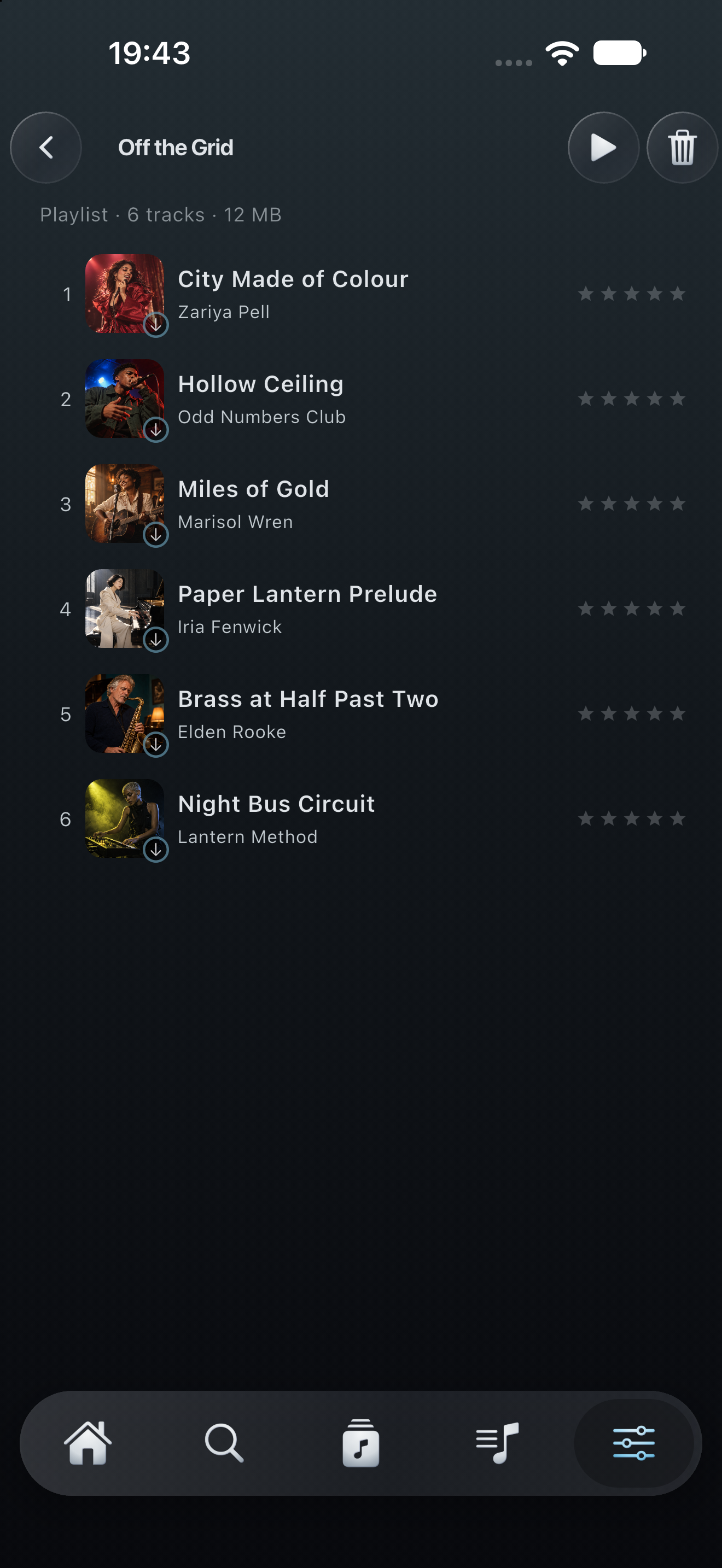
No paid download limit in 2.0.
Cast music to compatible Google Cast and Sonos receivers, with volume and queue controls. Pro can show available synced lyrics on a compatible Google Cast display.
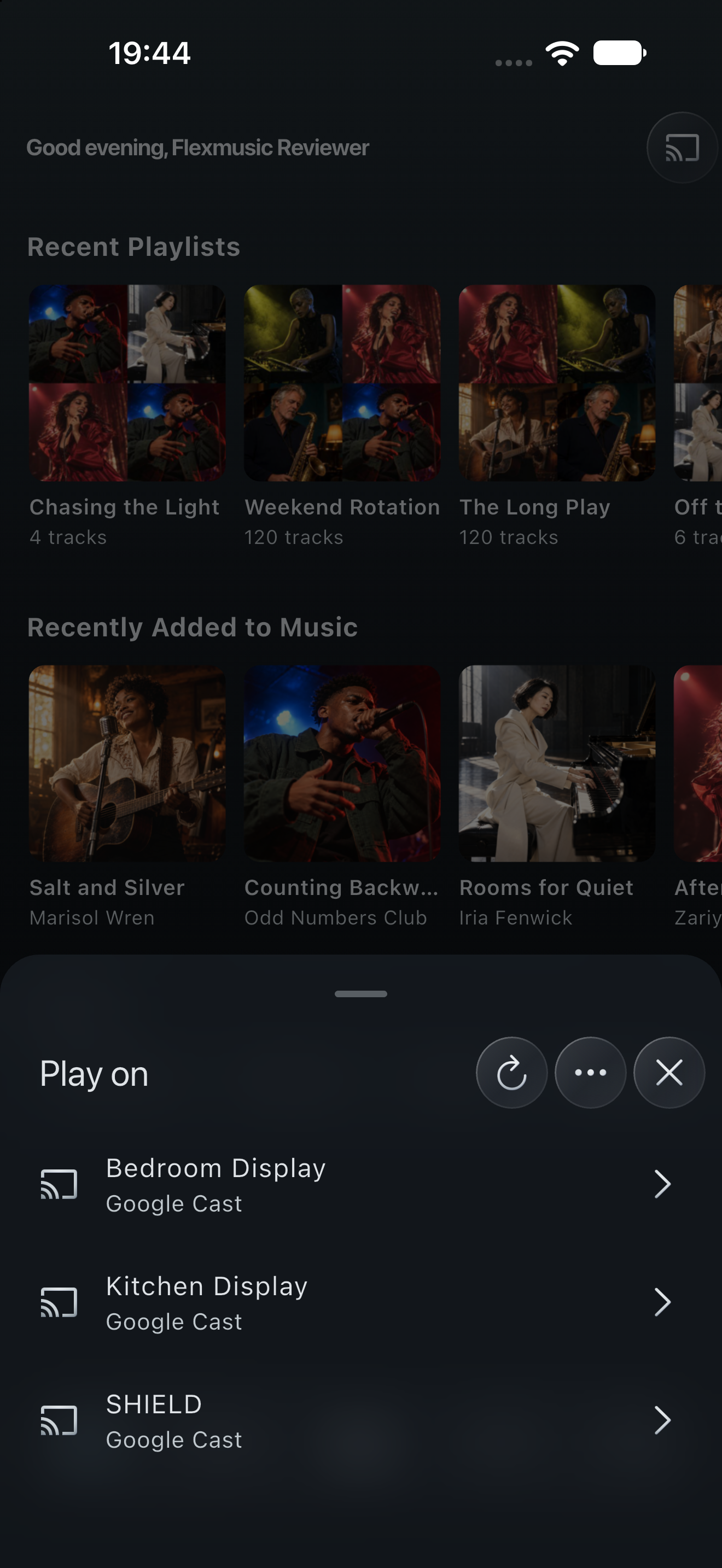
Music casting is free. Lyric casting is Pro.
Enjoy the waveform seek bar, visualizers and independent artwork effects. Available lyrics can follow the song; manual lyric search helps find another match.
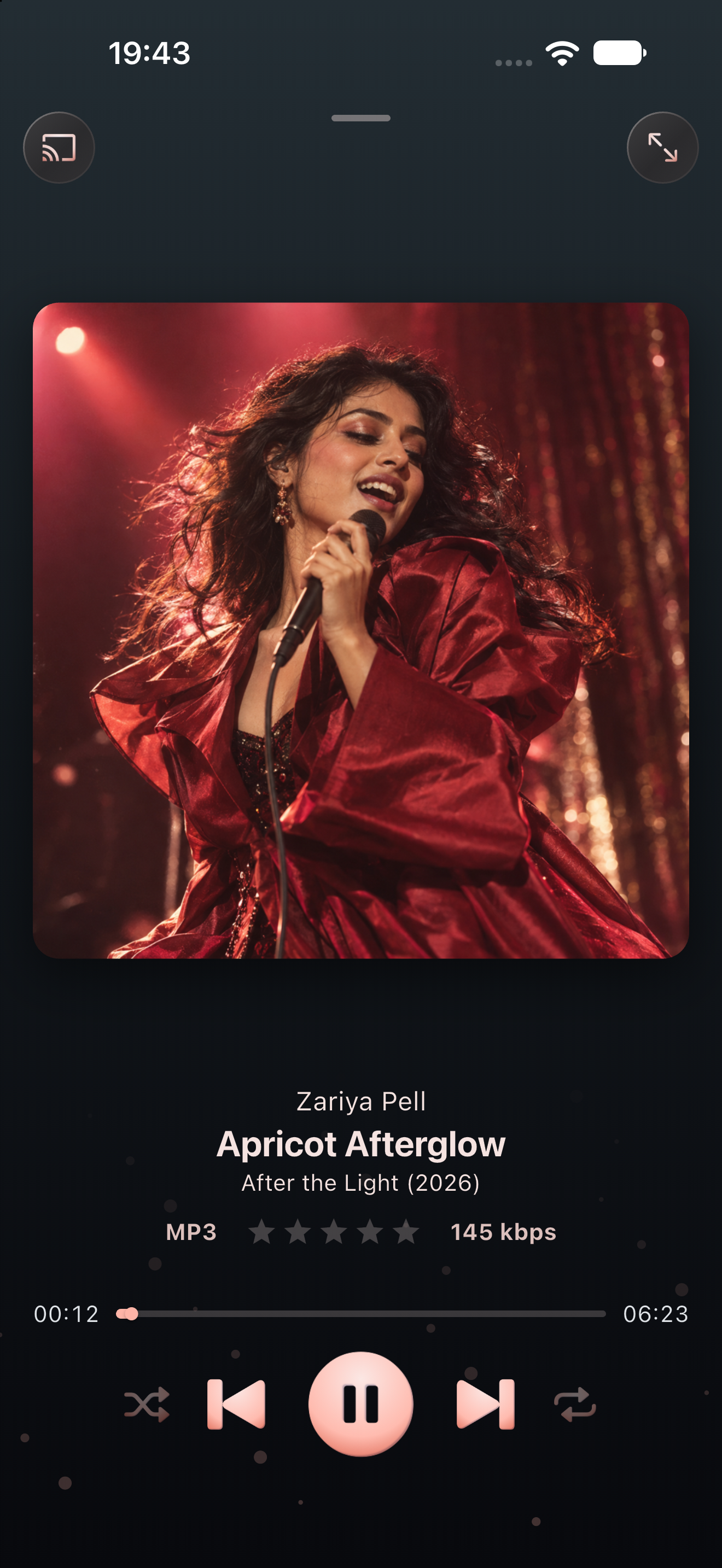
Plex lyrics with LRCLIB fallback.
More screens
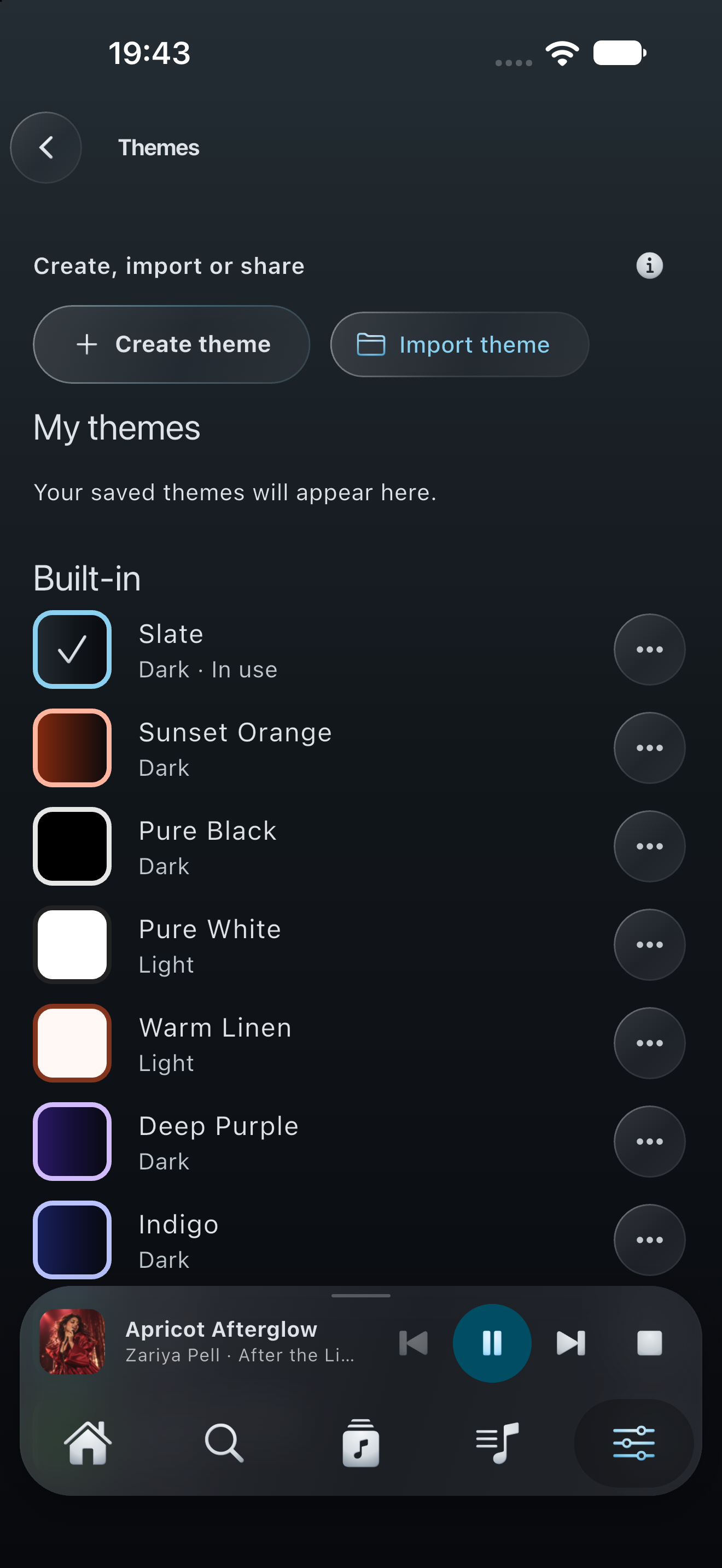
Choose a built-in palette or create, import and share a custom theme. Themes are free.
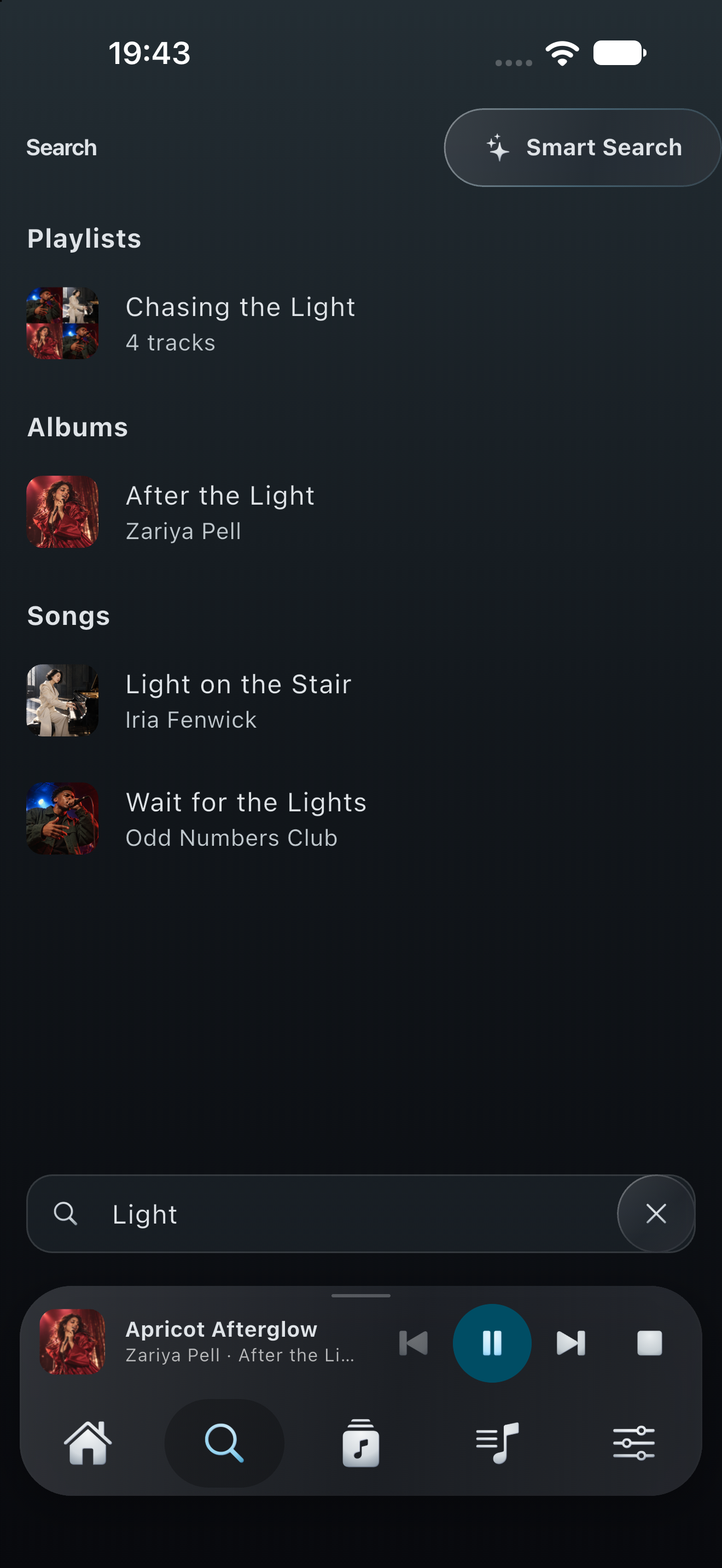
Find music across your library, then narrow your next listen with Smart Search. Search text is not included in optional product analytics.
Devices
iPhone, iPad, Apple Watch and CarPlay, plus Android phones, tablets and foldables.
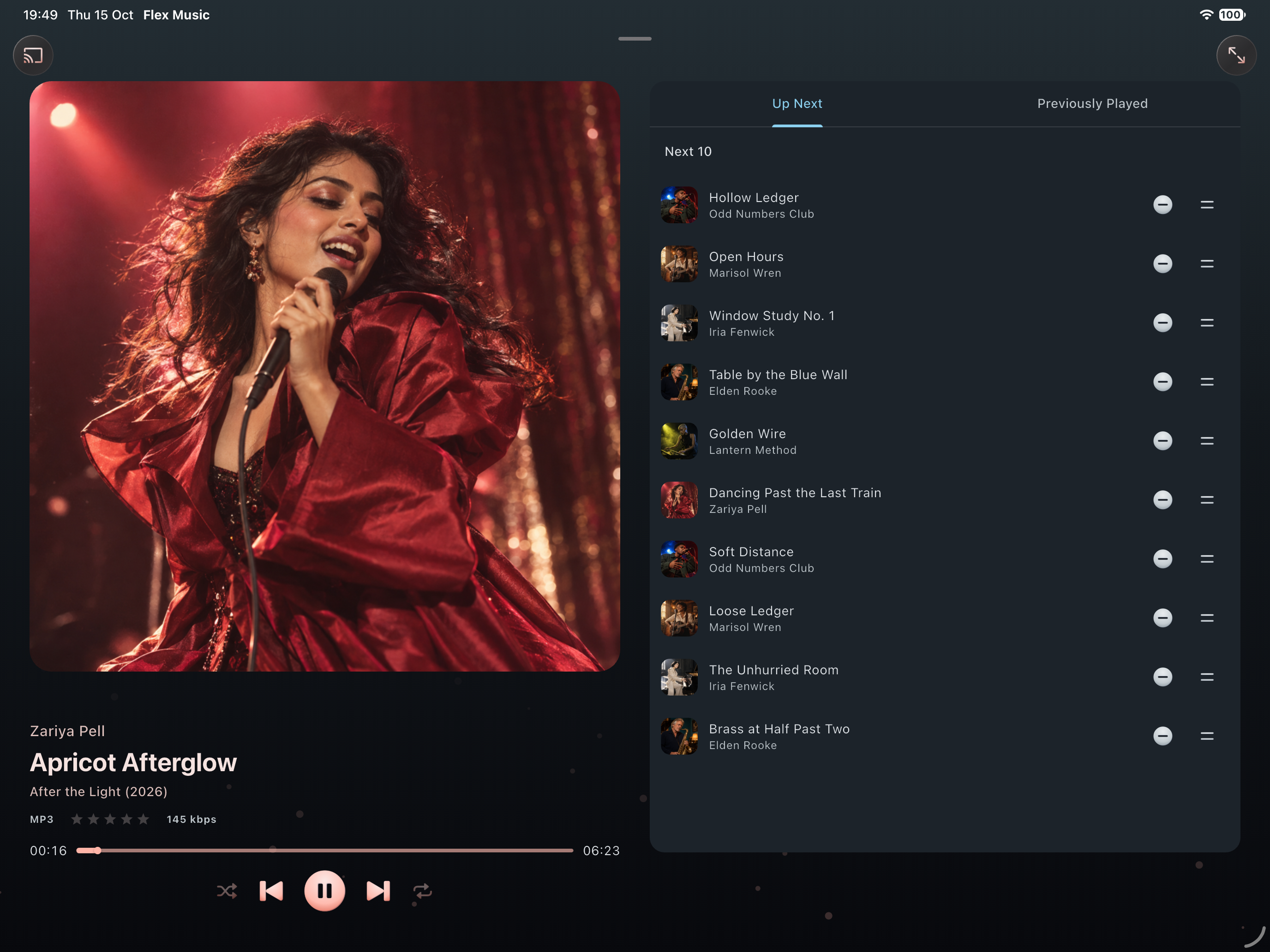
iPad
On iPad, the player splits into two columns, with the artwork on one side and lyrics or the queue on the other.

Apple Watch
See what's playing, start a playlist, check what's up next, rate a song and turn the Digital Crown for volume. Your iPhone plays the music and the watch controls it. The Watch app is part of Flex - Music Player Pro.
Android
Flex - Music Player runs on Android phones, tablets and foldables too. On a big or unfolded screen, the player uses two columns.
CarPlay is free and comes with the iPhone app. Browse your playlists and albums on the car's screen, with artwork, and rate the song that's playing.
Good to know
Press and hold, swipe and drag work throughout the app.
Rate a song in the player, in a playlist, in CarPlay or on your watch, and it's saved to your Plex library.
Ask Siri to play any of your playlists by name.
If your phone closes the app in the background, your queue and place in the song are still there when you come back.
Reorder or hide the home sections, choose what's in the menu, set your swipe actions and pick a lyric size.
There are no ads and no extra account. You sign in with Plex and you're done.
Before you start
The upcoming update requires iOS/iPadOS 18 or later. Android remains at Android 7 (SDK 24) or later. Apple Watch requires watchOS 10 and Flex Music Pro.
You sign in with your Plex account. You don't need Plex Pass.
Your own server, or one you've been given access to, with a music library on it.
You need one to stream music and edit playlists.
Songs you've downloaded play without any connection at all.
Flex - Music Player is an independent app made by Elixir Consultancy Services Ltd. It is not affiliated with, endorsed by or sponsored by Plex, Inc.
Pricing
The upcoming release makes offline downloads of any size free. Pro adds advanced playlist tools, personalisation and companion features. Monthly, yearly and lifetime plans unlock the same features. Store-localised prices apply; current US prices are $0.99/month, $9.99/year or $19.99 lifetime.
Your library, online and offline
More ways to organise and personalise
In 2.0, the 100-track editing limit remains. The paid download limit is removed. Version 1.0 still uses the earlier download limits.
It's your library. Flex - Music Player just makes it feel like yours.
Support development
Flex - Music Player is free and has no ads, and Pro is there for bigger libraries. If you enjoy the app but don't need Pro, you can leave a tip. It helps pay for developer accounts and new features.
You don't have to. Feedback and App Store reviews help a lot too.
Support Flex - Music PlayerFeedback
Is there a feature you'd like, or something that gets in your way? Send us an email. We read every message.
support@elixircs.com